
Pattern induction
Enable non-technical users to extract structured data from unstructured documents
ROLE
UX Designer
TIMELINE
2020
PROJECT SKILLS
AI, E2E Design
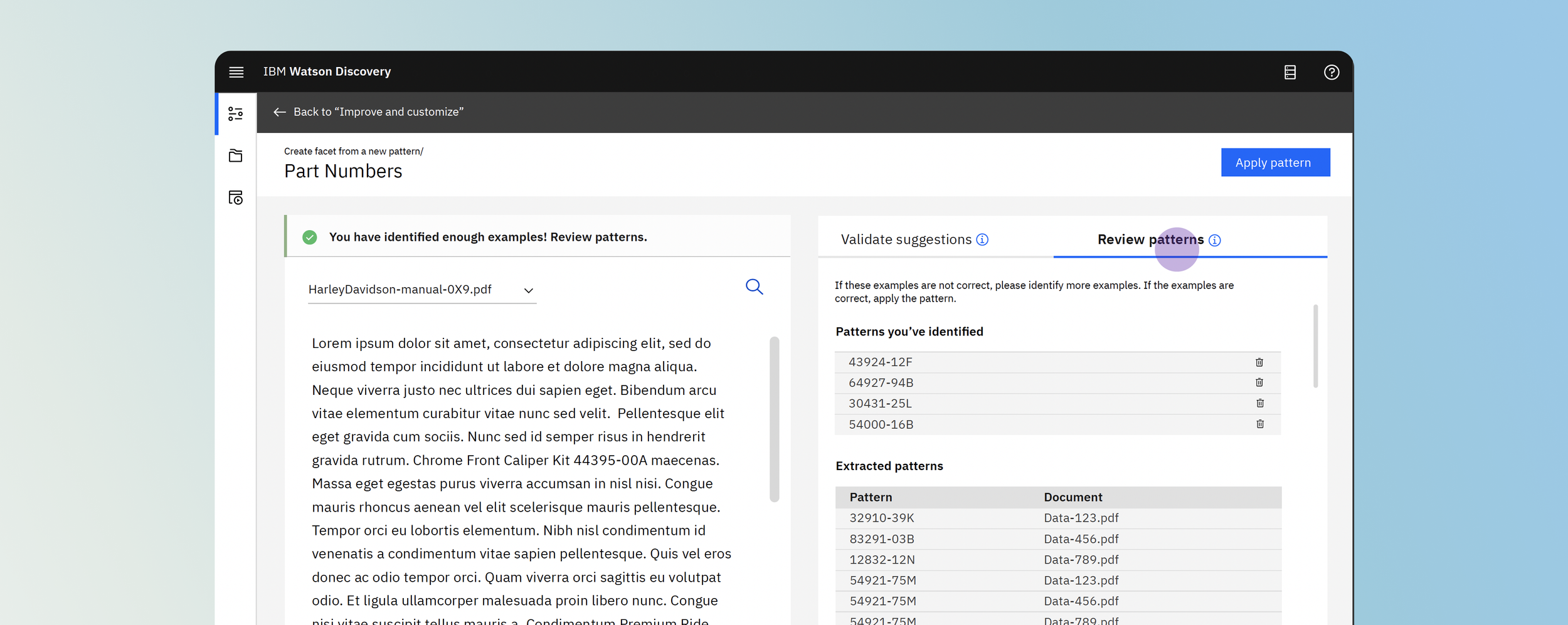
OVERVIEWI designed, developed, and delivered a beta version of the pattern induction tool in 2.5 months that contributes to helping companies decrease 75% of time spent reading through data sources.
USER PROBLEMBusiness analysts within organizations often need to extract specific information from large volumes of unstructured documents, but existing approaches required technical expertise.
Challenges with existing processes include:
Information appears in different formats across documents
Business analysts know what they’re looking for, but not how to define rules
Regex and model training require engineering support
Manual review is slow and error-prone
This created a bottleneck where business analysts depended on data scientists to build custom extraction logic.

These project goals ultimately help increase our product’s value proposition while helping our enterprise clients reduce costs.
PROJECT GOALSHow might we design this feature in a way that non-technical users can easily train the system to extract patterns that pertain to a certain set of rules?
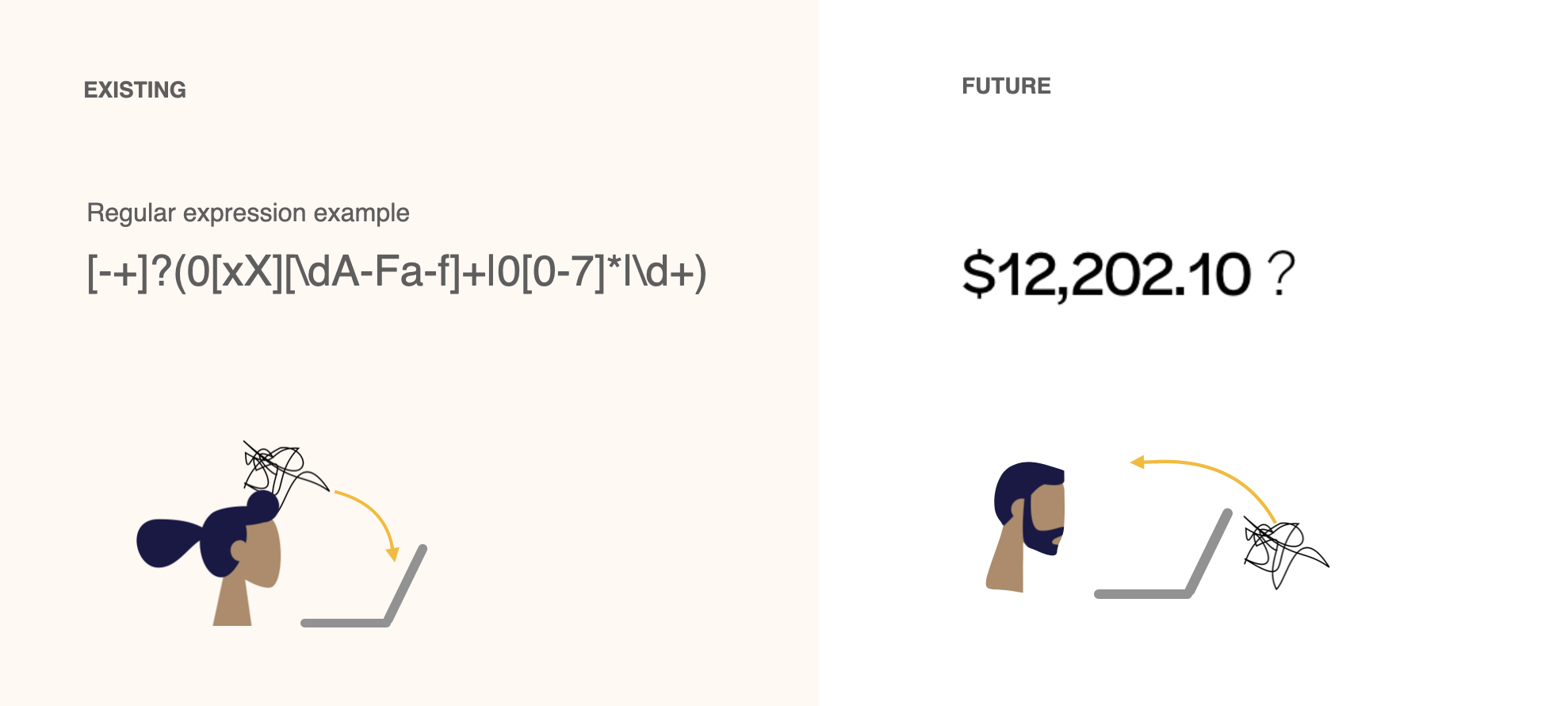
CONTEXTWatson Discovery is an AI search product that helps enterprises find answers and trends within their unstructured data using natural language processing, machine learning, data mining.
SOLUTIONPattern induction is an enrichment that uses natural language processing to recognize and extract patterns out of data
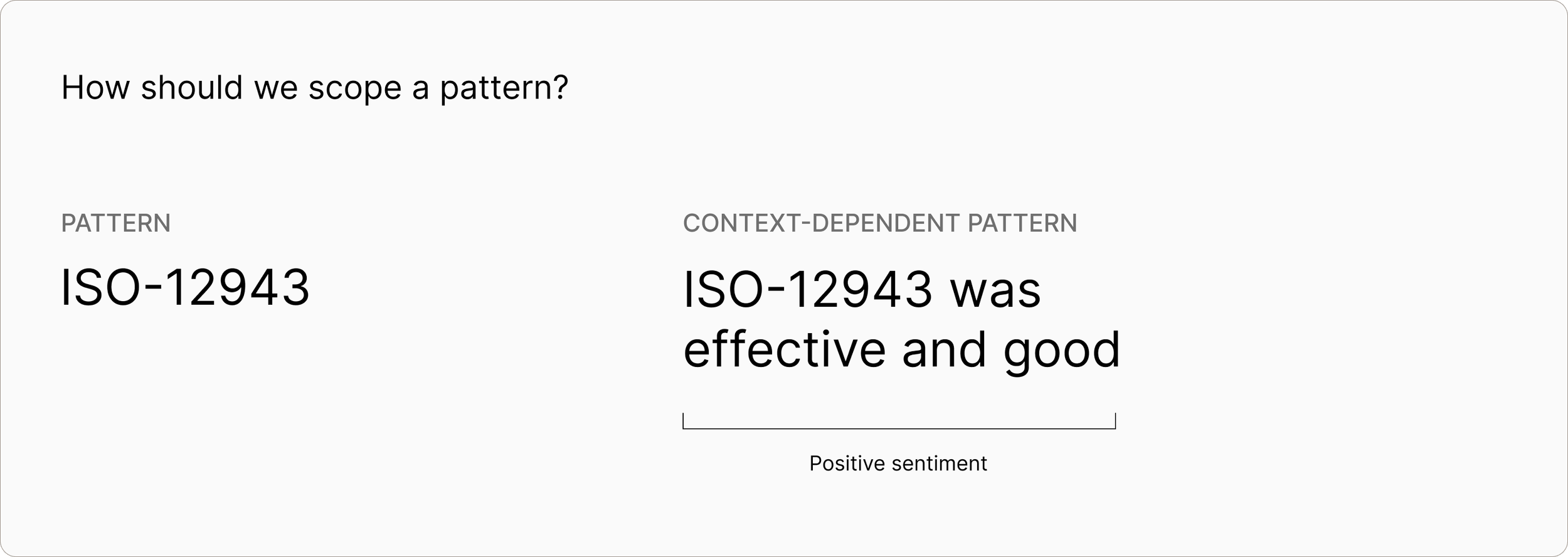
THE PROCESSSCOPINGTimeline was already tight and we spent a lot of time defining scope for MVP. For example,
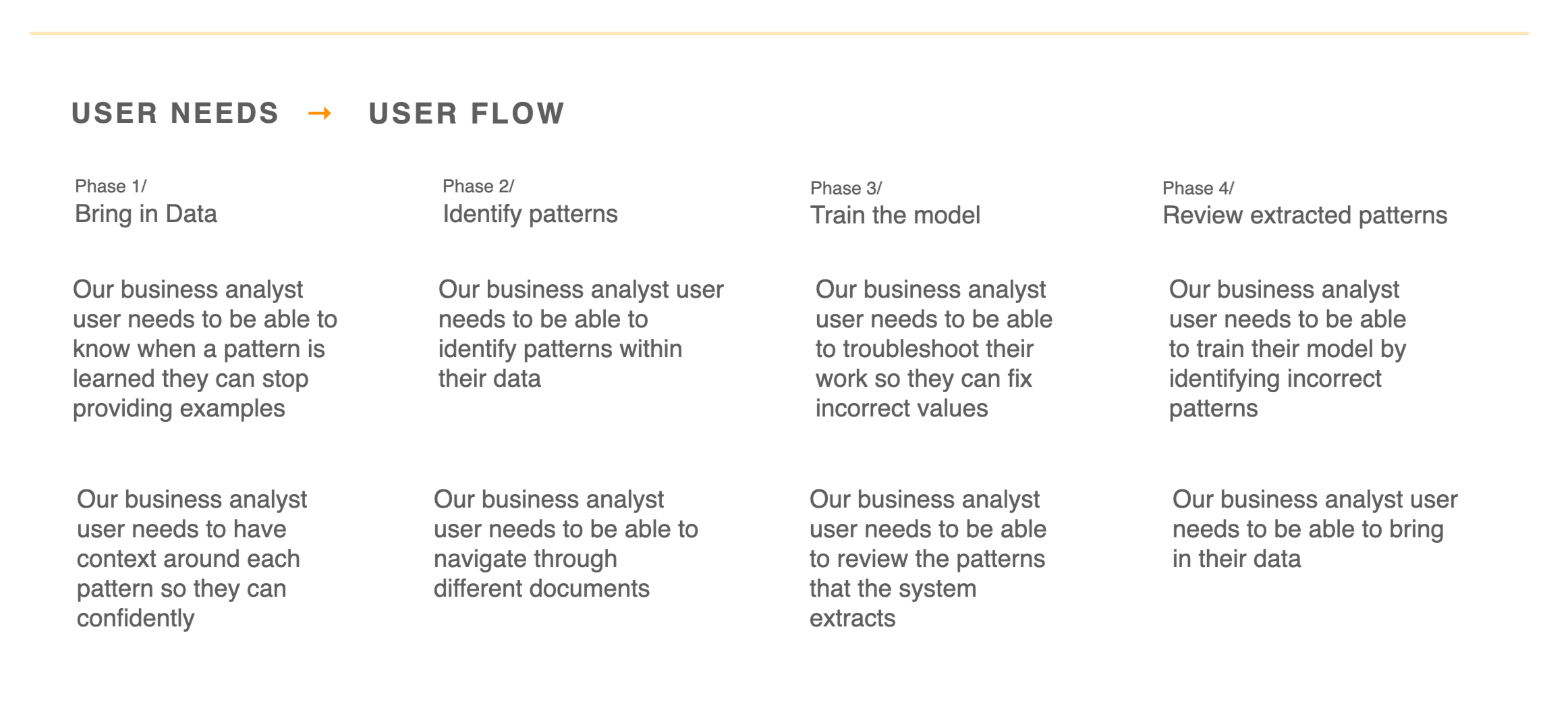
TRANSLATING USER NEEDS TO USER FLOWUsers needed a way to:
Extract custom, domain-specific fields
Work across messy, inconsistent documents
Avoid writing rules or training models
Iterate quickly with immediate feedback
ITERATIONS→ GIVE USERS CONTEXT & A WAY FORWARDInspired by the Net Promoter Score and benchmarking study
→ FAILING FORWARDPhases can’t be independent of each other
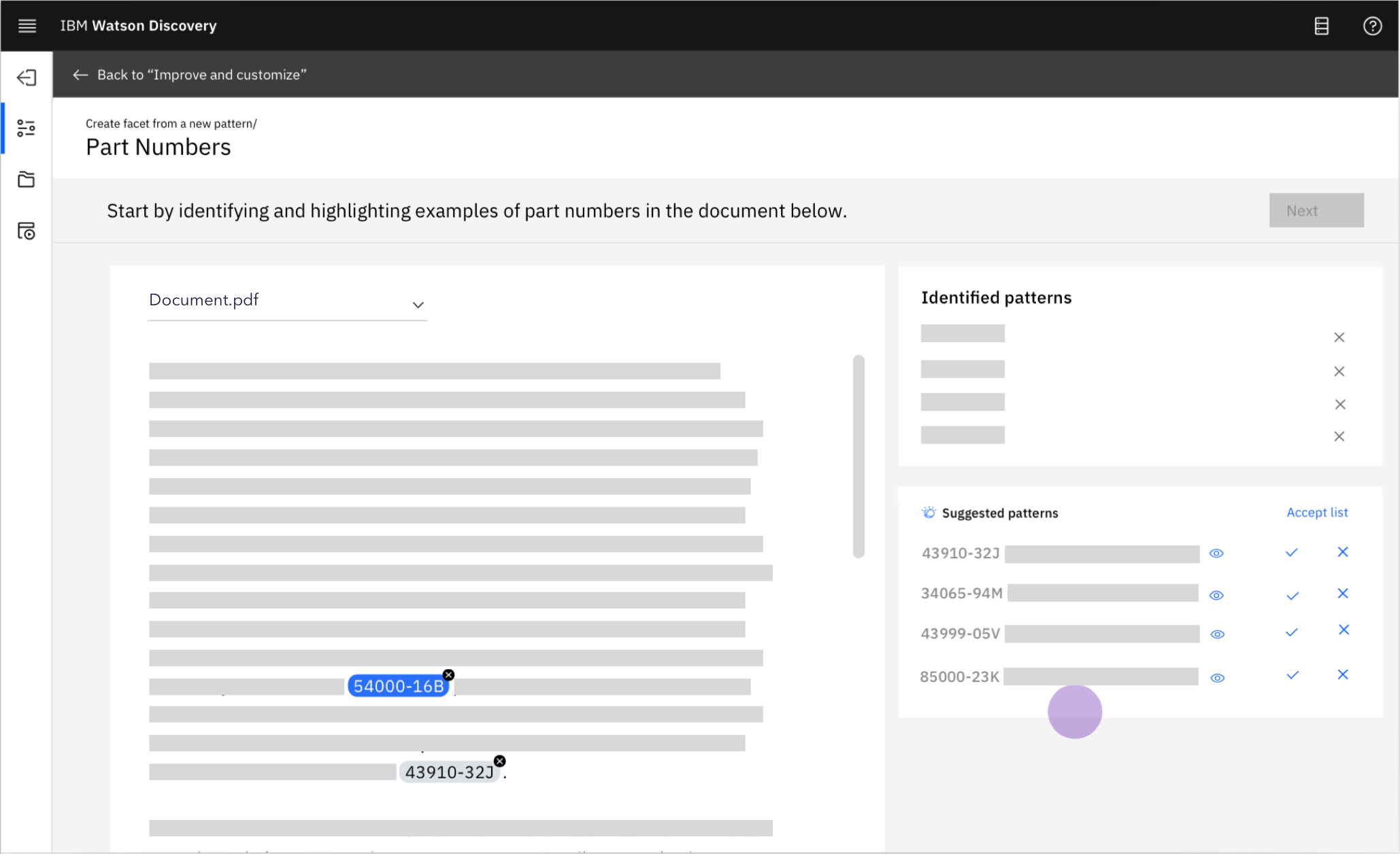
SEEKING VALIDATION
We sought feedback from both internal employees and existing customers. We got generally positive results with room for improvement.
Most qualitative feedback pointed to the fact that it was ambiguous as to what steps to take after identifying a few examples. This was good feedback for the next iteration of this tool.
“There is a lot going on on the screen. I’m not sure where on the screen I should be spending most of my time working”
LOOKING BACKIF I HAD MORE TIMEIf we had more time, below is the ideal experience I would have designed:
If we had more time, I’d also add a few changes to the design process. I would
Take a look at analytics to see where users are having trouble within the flow
Get a better understanding of the current user’s use case and pain points
Do more iterative design and usability testing
TAKEAWAYS & LESSONS LEARNEDLearned to work quickly under timeline constraints
Learned new technologies
Simplified complex workflows